Home /Utilities /XR Hardware Checkup
XR Hardware Checkup
UtilitiesProductivity

XR Hardware Checkup

by XR Hardware Check · Released August 6, 2026
Quest 3S · Quest 3 · Quest Pro · Quest 2

About this game

XR Hardware Check is an all-in-one diagnostic utility designed for Meta Quest headsets.

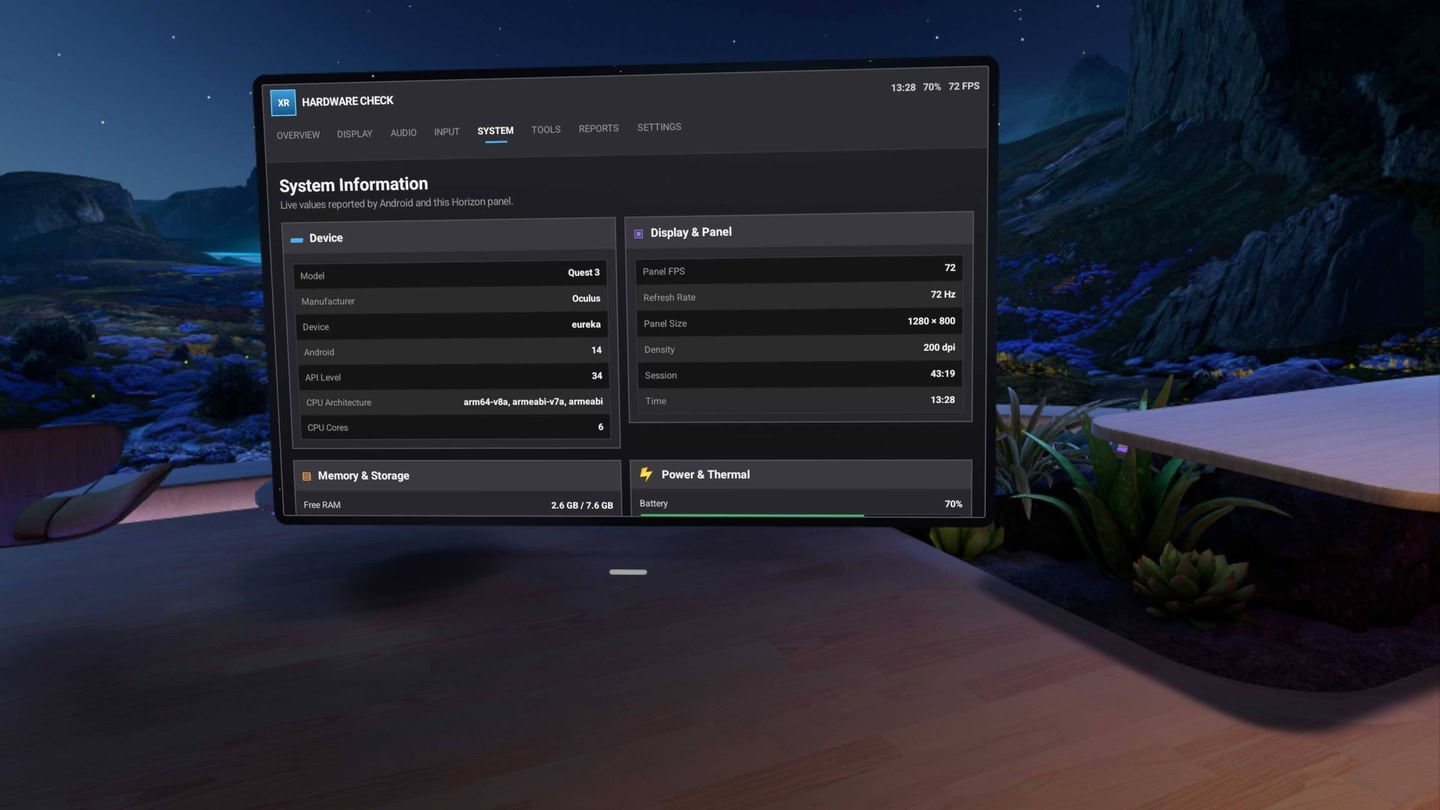
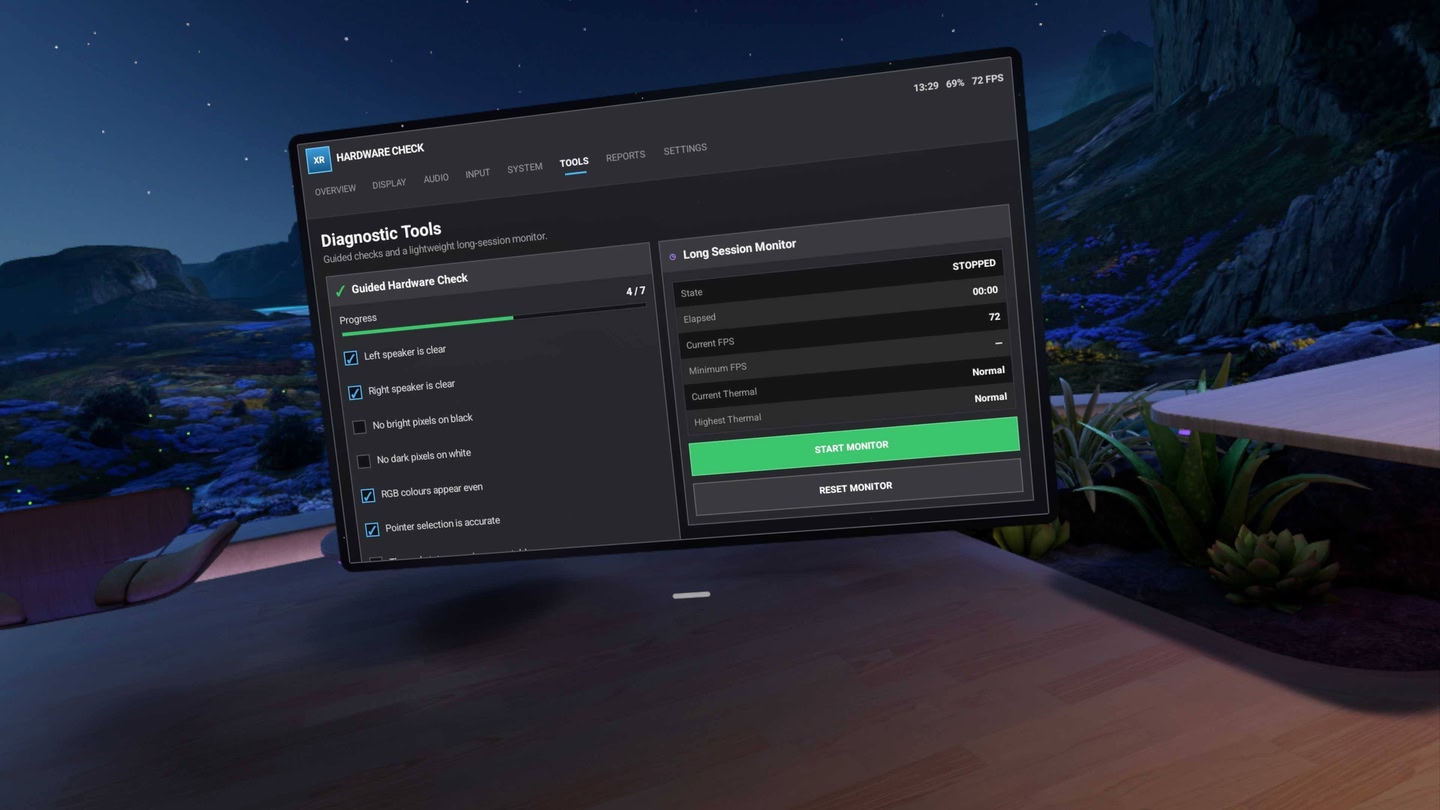
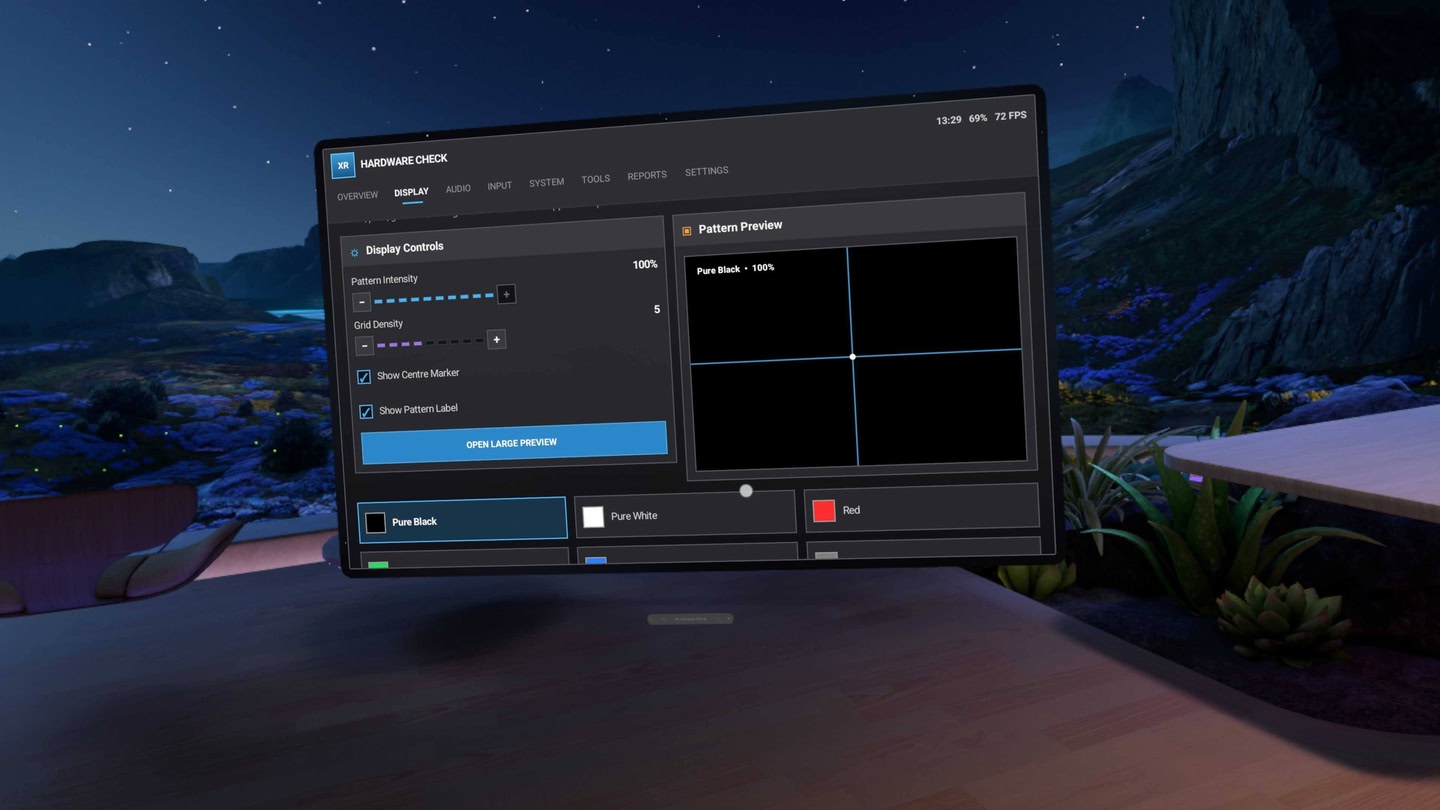
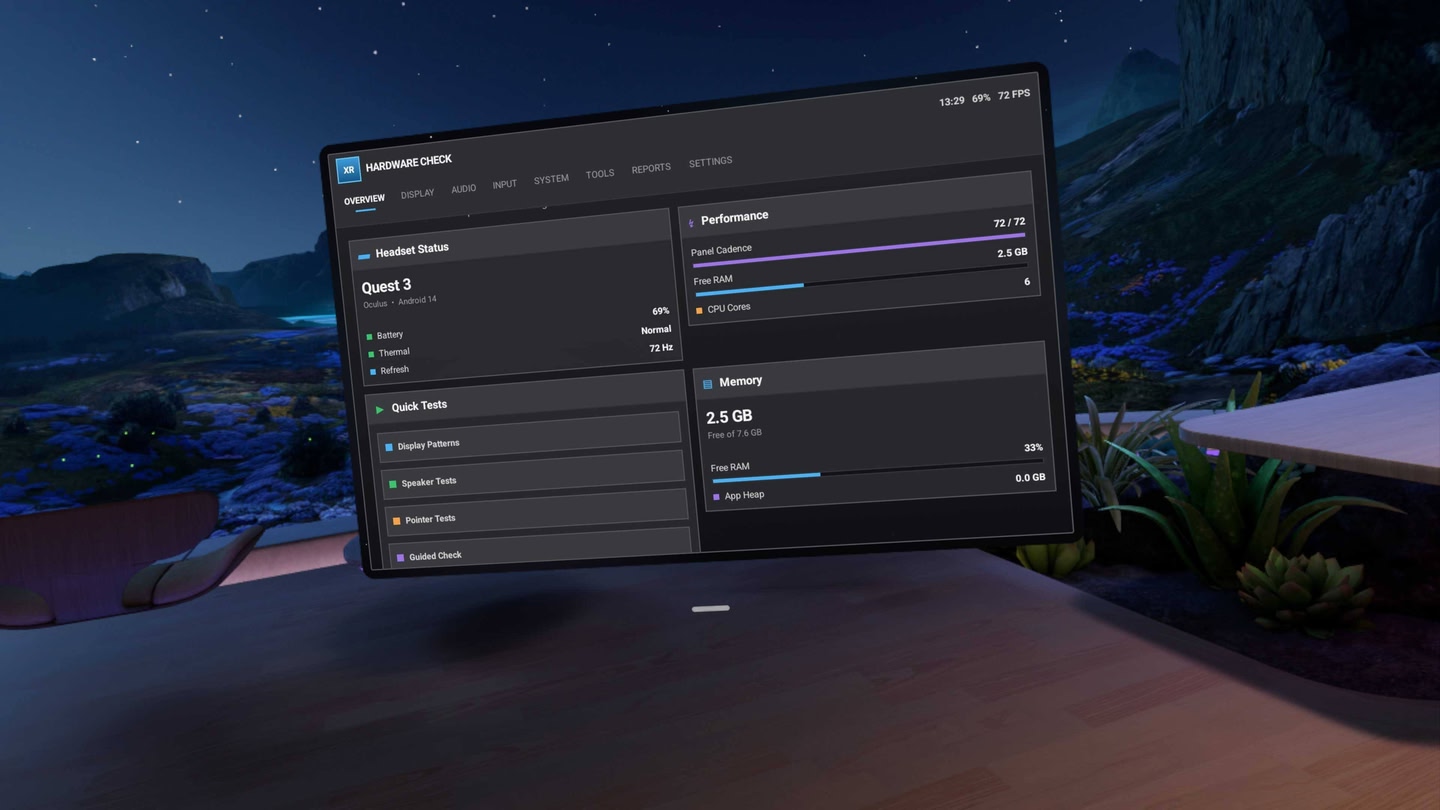
Quickly inspect common headset functions through a clean, desktop-style interface. Test speaker channels, display colours, pixel patterns and pointer accuracy while viewing live device information such as battery level, thermal status, memory, storage and refresh rate.

Included features

  • Left, right and stereo speaker tests
  • Low, mid and high-frequency audio tests
  • Frequency sweep and alternating stereo pings
  • Black, white, RGB, greyscale and alignment display patterns
  • Pointer selection and precision tests
  • Live battery and charging information
  • Thermal-status monitoring
  • Memory and storage information
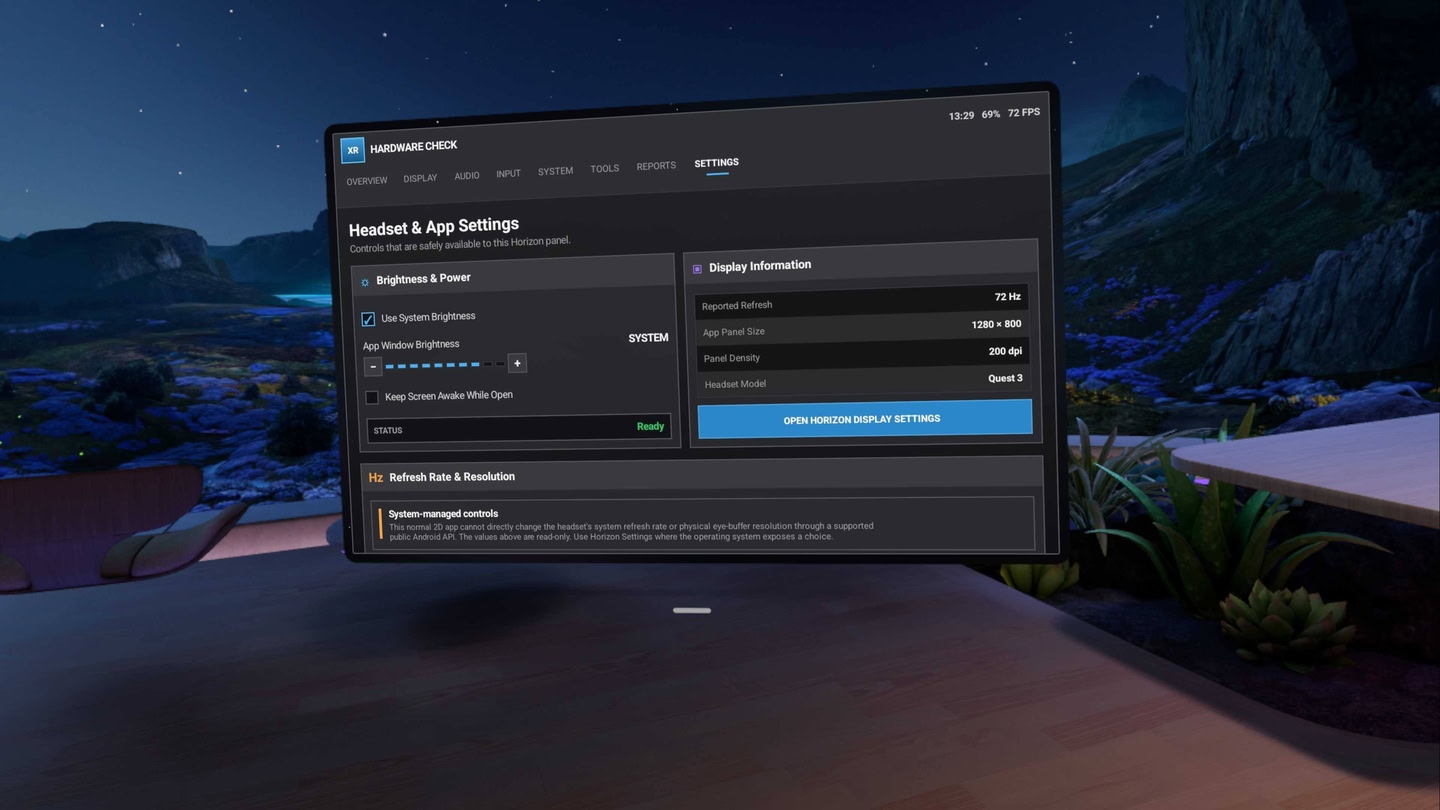
  • Reported panel refresh rate
  • Panel frame-cadence history
  • Guided hardware inspection checklist
  • Locally saved diagnostic reports
  • Long-session monitoring
  • App brightness and display shortcuts

Diagnostic reports are stored locally on your headset and are never uploaded.

XR Hardware Check runs as a standard Horizon OS panel, allowing it to be moved and resized alongside your other apps.

Early Access limitations

Panel FPS measures XR Hardware Check itself and does not measure the performance of other games or the Horizon OS compositor.

Current display tests cover the application panel rather than the headset’s complete field of view. Current input tests focus on pointer and panel interactions. Full Touch-controller and immersive display diagnostics are planned for future updates.

XR Hardware Check

Details

Release date
August 6, 2026
Genre
Utilities, Productivity
Category
APPS
Modes
Single User
Play area
Sitting, Standing, Room-scale
Comfort
Comfortable for most
Age rating
Everyone
Headsets
Quest 3S, Quest 3, Quest Pro, Quest 2
Controllers
Touch Controllers, Hand Tracking
Hand tracking
✓ Supported
Languages
English
Internet
Not required
Ratings
Download size
90 MB
Version
1.0
In-app purchases
No
In-app ads
No
Giftable
✓ Yes

Frequently asked questions

How much does XR Hardware Checkup cost on Meta Quest?

XR Hardware Checkup currently costs $4.49 (down from $4.99)€3.59 (down from €3.99)£3.59 (down from £3.99)¥630 (down from ¥700)CA$6.29 (down from CA$6.99) on the Meta Horizon Store. That price already includes the exclusive 10% creator discount, applied automatically at checkout through our link.

Is XR Hardware Checkup on sale right now?

Not at the moment, but our creator link takes 10% off at checkout automatically, so you never pay the full sticker price. Store sales come around regularly, and every new discount appears on our deals page the moment it goes live.

Does XR Hardware Checkup work on Quest 3, Quest 3S or Quest 2?

XR Hardware Checkup officially supports: Quest 3S, Quest 3, Quest Pro, Quest 2. Headset support is set by the developer, as listed on the official store.

Is XR Hardware Checkup multiplayer or single player?

XR Hardware Checkup is a single-player experience (single user).

Is XR Hardware Checkup comfortable for VR beginners?

XR Hardware Checkup is rated Comfortable by the official store: minimal artificial movement, a great pick for VR newcomers.

What is the age rating for XR Hardware Checkup?

XR Hardware Checkup is rated Everyone on the official Meta store. Age ratings matter especially for online multiplayer titles, where voice chat is open.

When did XR Hardware Checkup come out?

XR Hardware Checkup was released on August 6, 2026, published by XR Hardware Check.