Home /Utilities /QuestFiles VR File Manager
QuestFiles VR File Manager
UtilitiesProductivityComputer Link

QuestFiles VR File Manager

by Anwar Studio Official · Released July 16, 2026
★★★★★5.01 reviews
Quest 3S · Quest 3 · Quest Pro · Quest 2

About this game

Your headset finally has a real file manager.

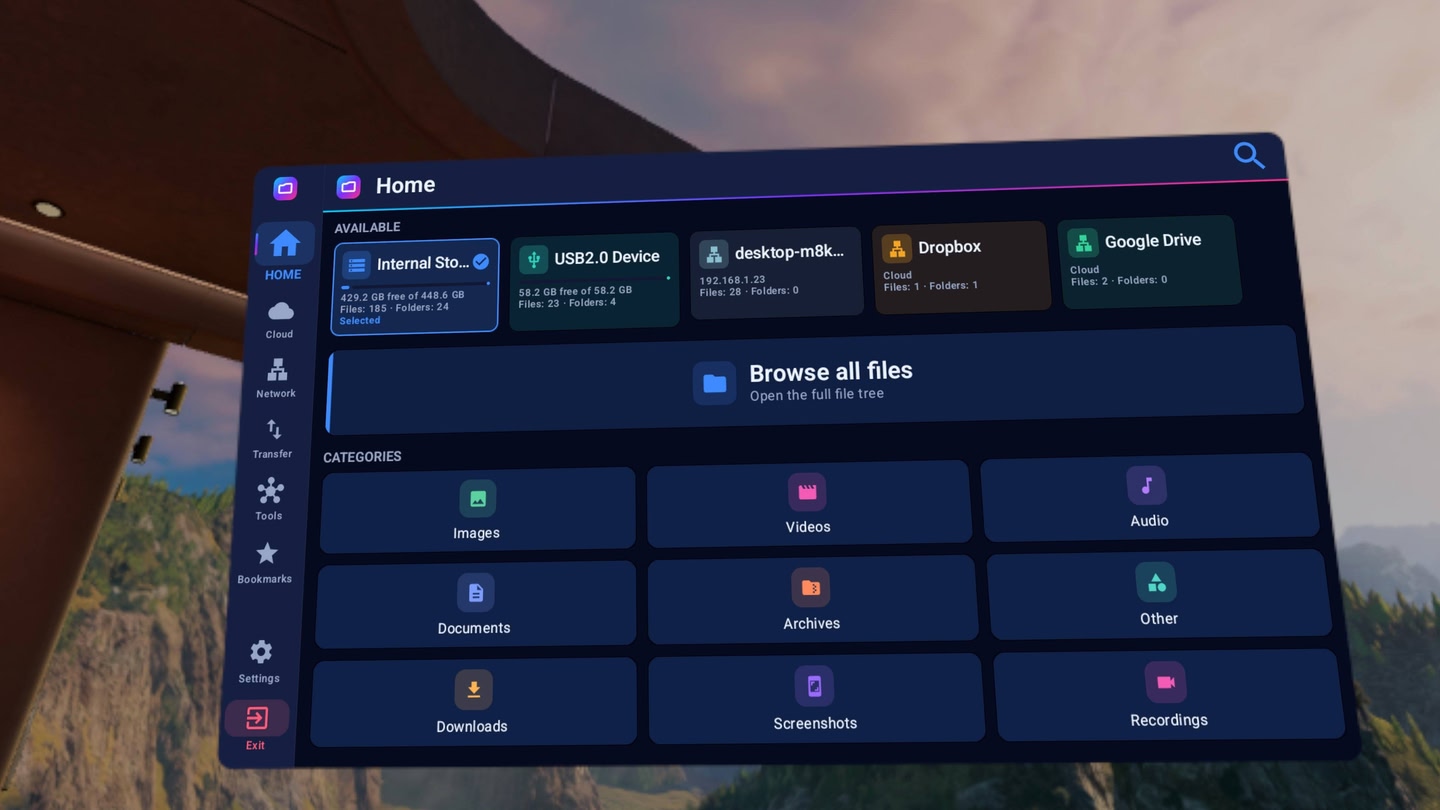
CONNECT TO EVERYTHING

  • Network: SMB (Windows shares, NAS), FTP, SFTP and WebDAV. Saved connections reconnect with one tap.
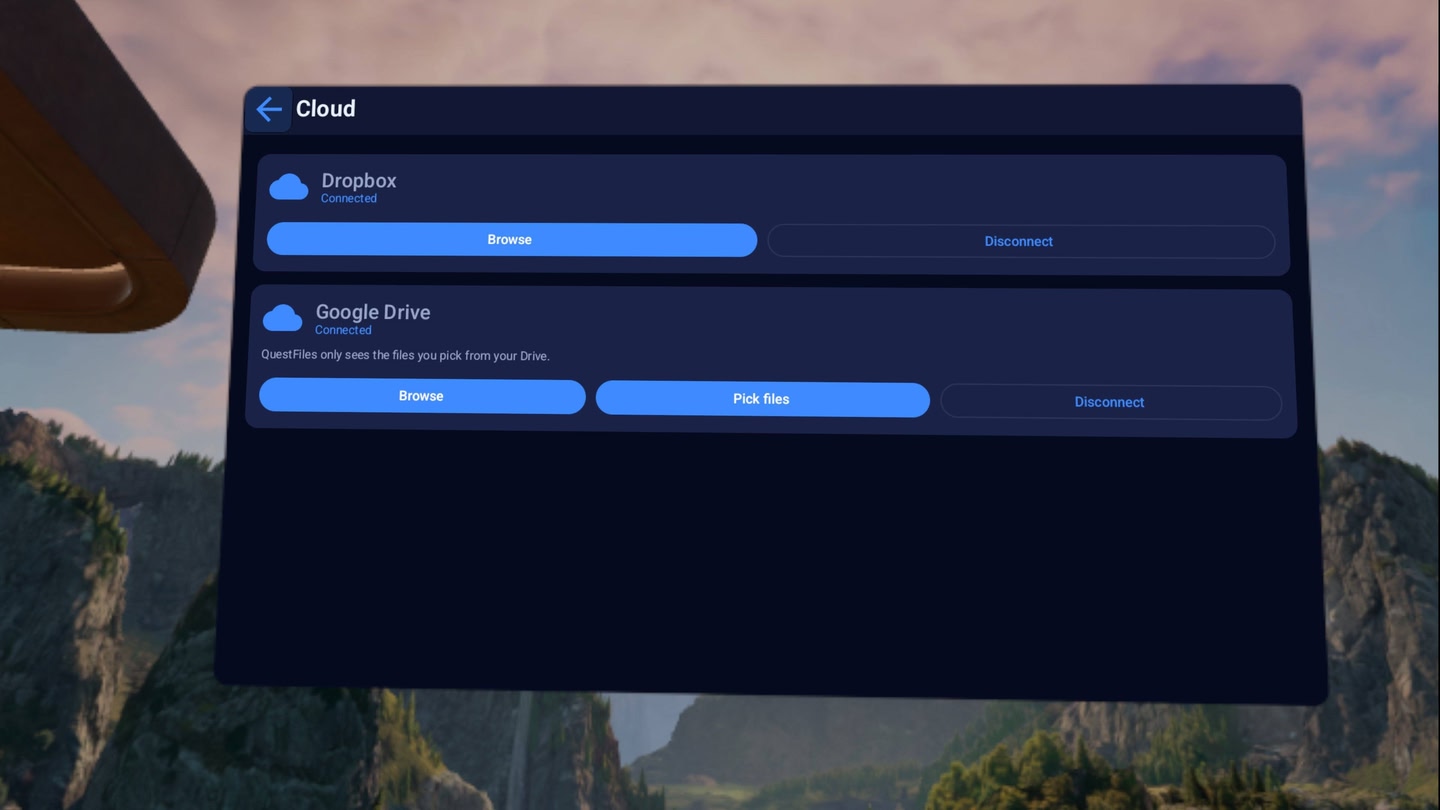
  • Cloud: Google Drive and Dropbox. Browse, download and upload like any other folder.
  • USB: external drives over USB-C, including NTFS disks Android normally refuses to read.
  • Local: everything on the headset, including your captures and recordings.

NO CABLE NEEDED

Start the built-in transfer server, type the address it shows into any browser on your PC, and drag files straight into the headset over Wi-Fi. It works the other way too: pull your screenshots and recordings off the headset without plugging anything in.

MOVE FILES PROPERLY

  • Dual panel: source on the left, destination on the right. Copy between any two locations — NAS to headset, headset to USB, Drive to Dropbox.
  • Background transfers: a 20 GB pull off your NAS keeps running when you put the headset down.
  • Archives: open and extract ZIP, 7z, RAR and TAR in place.

BUILT FOR VR

Big, clearly labelled controls for controllers and hand tracking. Images, PDFs, text and audio open right inside the app; video hands off to your VR player.

TOOLS

Storage Analyzer, Junk Cleaner, Duplicate Finder, Large Files — for when the headset fills up.

PRIVATE BY DESIGN

No accounts, no analytics, no cloud middleman. Your files, network passwords and cloud sign-ins never leave your headset.

SUPPORT

Bugs, feature requests and help: https://discord.gg/UJSn59DDsv

Details

Release date
July 16, 2026
Genre
Utilities, Productivity, Computer Link
Category
APPS
Modes
Single User
Play area
Sitting, Standing, Room-scale
Comfort
Comfortable for most
Age rating
Everyone
Headsets
Quest 3S, Quest 3, Quest Pro, Quest 2
Controllers
Touch Controllers, Hand Tracking
Hand tracking
✓ Supported
Languages
English
Internet
Not required
Ratings
★ 5.0 (1 reviews)
Download size
45 MB
Version
1.0.2
In-app purchases
No
In-app ads
No
Giftable
✓ Yes

Frequently asked questions

How much does QuestFiles VR File Manager cost on Meta Quest?

QuestFiles VR File Manager currently costs $4.49 (down from $4.99)€5.39 (down from €5.99)£5.39 (down from £5.99)¥4 (down from ¥5)CA$4.49 (down from CA$4.99) on the Meta Horizon Store. That price already includes the exclusive 10% creator discount, applied automatically at checkout through our link.

Is QuestFiles VR File Manager on sale right now?

Not at the moment, but our creator link takes 10% off at checkout automatically, so you never pay the full sticker price. Store sales come around regularly, and every new discount appears on our deals page the moment it goes live.

Does QuestFiles VR File Manager work on Quest 3, Quest 3S or Quest 2?

QuestFiles VR File Manager officially supports: Quest 3S, Quest 3, Quest Pro, Quest 2. Headset support is set by the developer, as listed on the official store.

Is QuestFiles VR File Manager multiplayer or single player?

QuestFiles VR File Manager is a single-player experience (single user).

Is QuestFiles VR File Manager comfortable for VR beginners?

QuestFiles VR File Manager is rated Comfortable by the official store: minimal artificial movement, a great pick for VR newcomers.

What is the age rating for QuestFiles VR File Manager?

QuestFiles VR File Manager is rated Everyone on the official Meta store. Age ratings matter especially for online multiplayer titles, where voice chat is open.

Is QuestFiles VR File Manager any good? What do players think?

QuestFiles VR File Manager holds a 5.0 / 5 average from 1 player ratings on the official Meta store, still a small sample, so read it as an early signal.

When did QuestFiles VR File Manager come out?

QuestFiles VR File Manager was released on July 16, 2026, published by Anwar Studio Official.