
The Meta Quest Sale - October 2026 is live500 games up to -90% · ends tomorrowSee deals →
Media View
MediaProductivity

Media View

by L+R · Released September 25, 2024
★★★★★2.834 reviews
⚡ Quest 3S · Quest 3 · Quest Pro
ComfortComfortable for most
ModesSingle User
Play areaSitting, Standing, Room-scale
Size176 MB
In-app purchasesNone
LanguagesEnglish

About this game

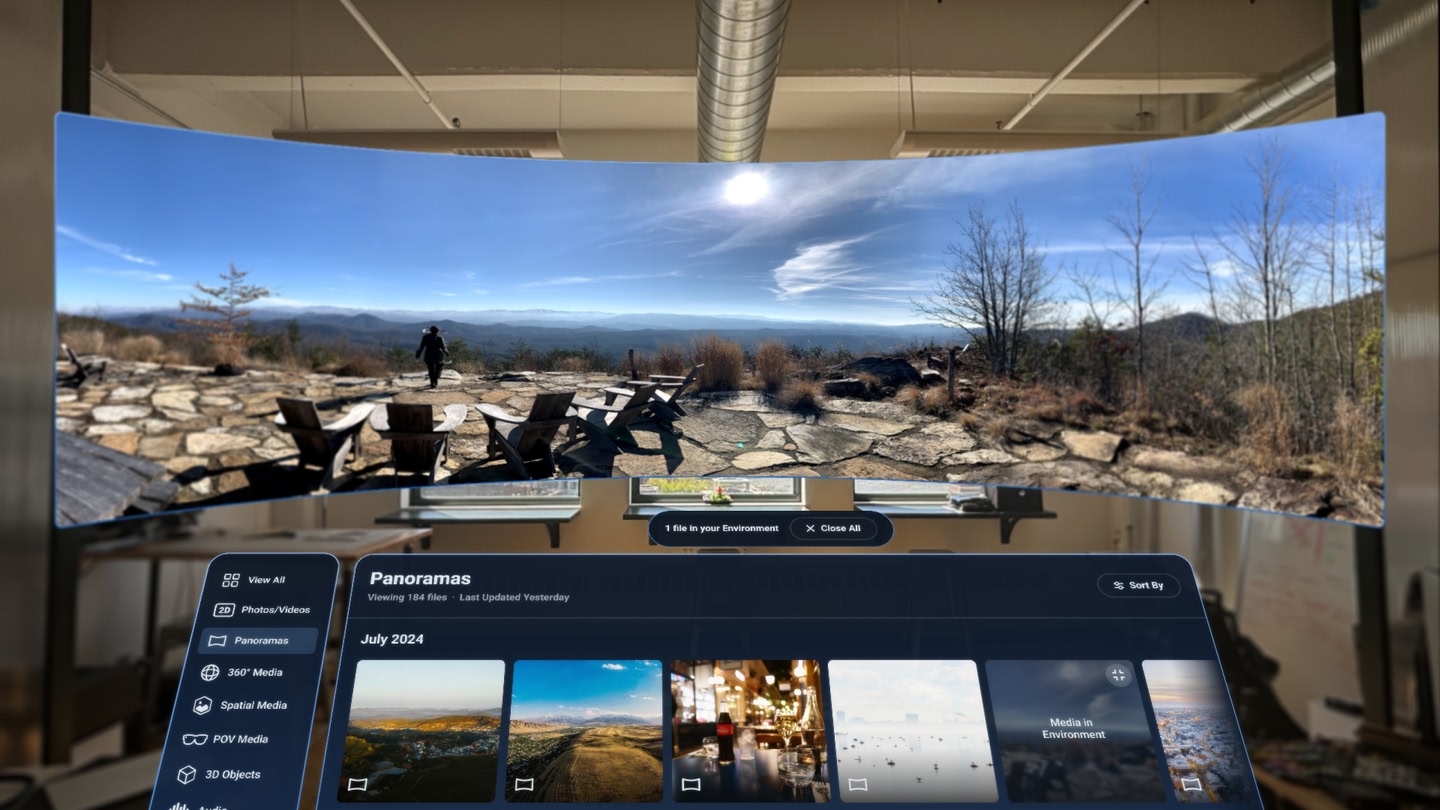
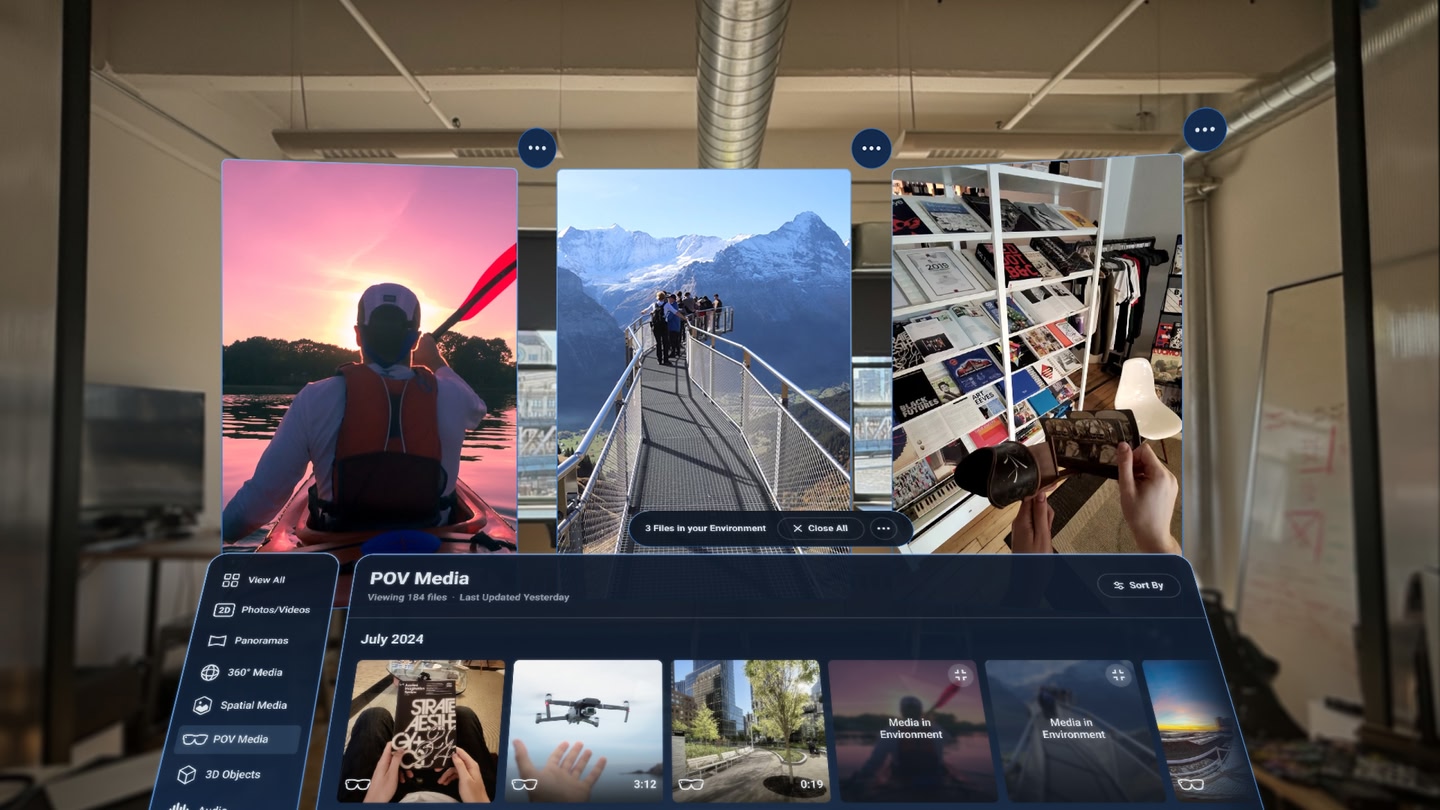
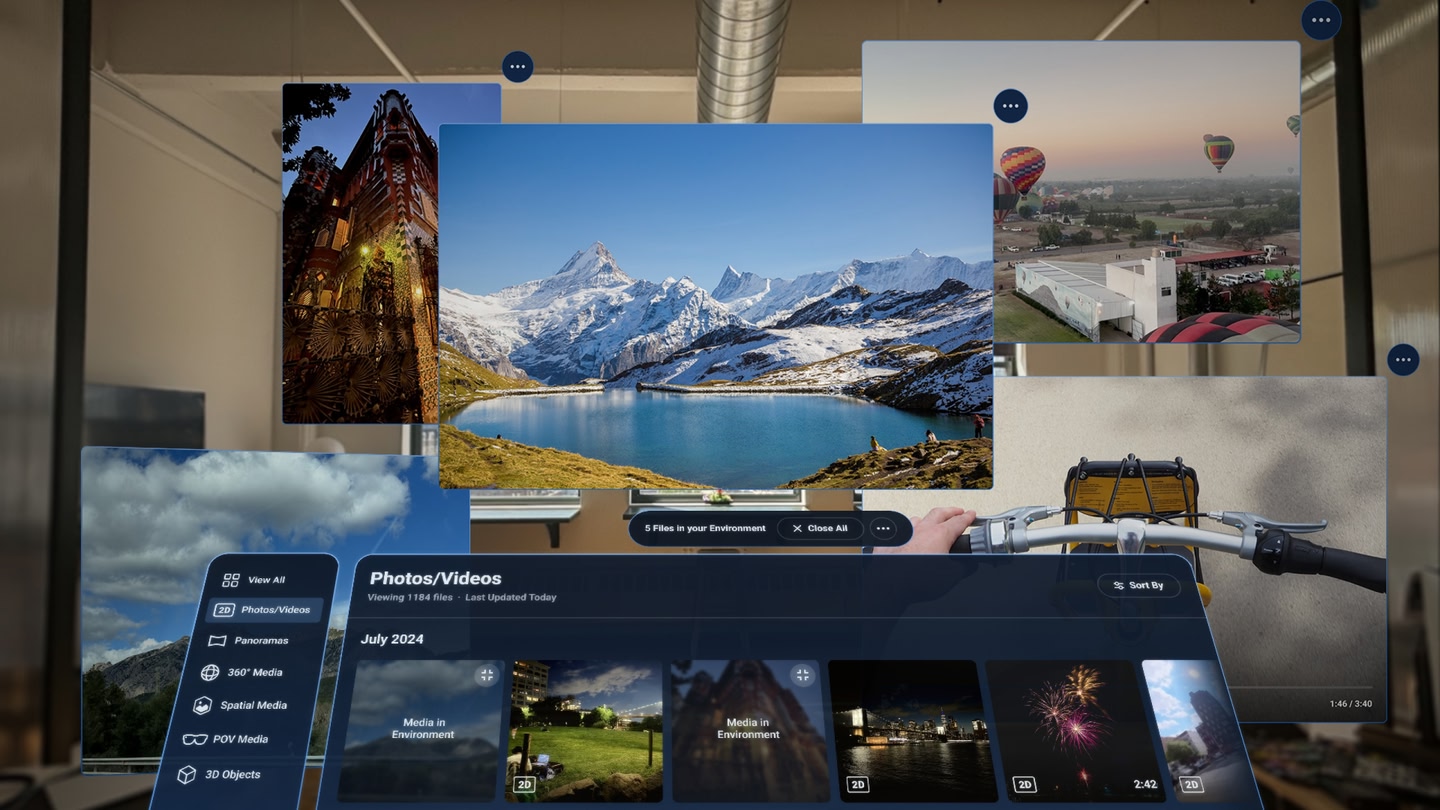
Media View brings all digital media into mixed reality.

We are building a streamlined utility to let you step out of the confines of a traditional screen and view your content using the space around you.

Please note: Media View is in active development. Critical updates are coming soon.

What it does today:

  • Multi-Panel Workspace: View multiple (currently limited to 3) 2D photos, panoramas, and 360° videos simultaneously around your space.
  • Immersive Mode: Instantly toggle from your multi-panel layout to step inside 360° and panoramic content with full room-scale immersion.

Known Issues & What’s Next:

We hear the community: getting your own custom content into the app is currently frustrating. We are actively rebuilding the file upload workflow. Please be patient with us as we iron out these bugs and push critical updates over the coming weeks.

We are building this tool for the VR community, and your input drives our roadmap. To submit feature requests, report bugs, or connect with our team, please visit: mediaviewxr.com

What players say

2.8 from 34 ratings on the Meta Quest Store

Works great on Quest 3

As a first-time user of a media viewer application, I must express my utmost satisfaction with the experience it provided. The convenience of accessing all my media content from a centralized location, coupled with the immersive viewing mode, made it an enjoyable and efficient way to…

andersonmanciniNov 202433 found this helpful

At last! Easy panorama viewing

I'm so pleased with this because it means I can view any panorama image that has been sent to me without having to connect my headset to a computer and upload it to a special folder, I can just download an attachment from email via the browser and immediately look at the panorama image in…

UKLoonyAndyJul 202519 found this helpful
Mixed review

Needs Some Work, But it Has Potential

In the depreciation of Oculus Gallery we've been in a bad spot. Quest hardware just gets better and better for viewing our personal panoramas and 3D/360° pictures and videos... but no matter whether you're doing it though the Files app or Meta Quest TV it's just not good. Files won't just…

ALionlikeManeOct 20249 found this helpful
See all reviews on the Meta Quest Store →

Details

Developer
Publisher
Release date
September 25, 2024
Genre
Media, Productivity
Category
APPS
Modes
Single User
Play area
Sitting, Standing, Room-scale
Comfort
Comfortable for most
Age rating
Everyone
Headsets
Quest 3S, Quest 3, Quest Pro
Controllers
Touch Controllers, Hand Tracking
Hand tracking
✓ Supported
Languages
English
Internet
Not required
Ratings
★ 2.8 (34 reviews)
Download size
176 MB
Version
0.1.0
In-app purchases
No
In-app ads
No