Home /Creativity /GSVision Viewer
GSVision Viewer
CreativityUtilitiesProductivity

GSVision Viewer

by MT5 Foundation · Released June 26, 2026
Quest 3S · Quest 3

About this game

GSVision Viewer

Experience 3D Gaussian Splatting scenes in stunning virtual reality on your Meta Quest 3.

What is Gaussian Splatting?

Gaussian Splatting is a cutting-edge 3D reconstruction technique that creates photorealistic 3D scenes from photos. Unlike traditional 3D models, Gaussian Splats capture real-world environments with incredible detail and lighting accuracy.

Features

  • Immersive VR viewing - Walk around and explore 3D scenes in room-scale VR
  • Intuitive controls - Easy manipulation with Quest controllers (move, rotate, scale)
  • High performance - Optimized rendering for smooth 72 FPS on Quest 3
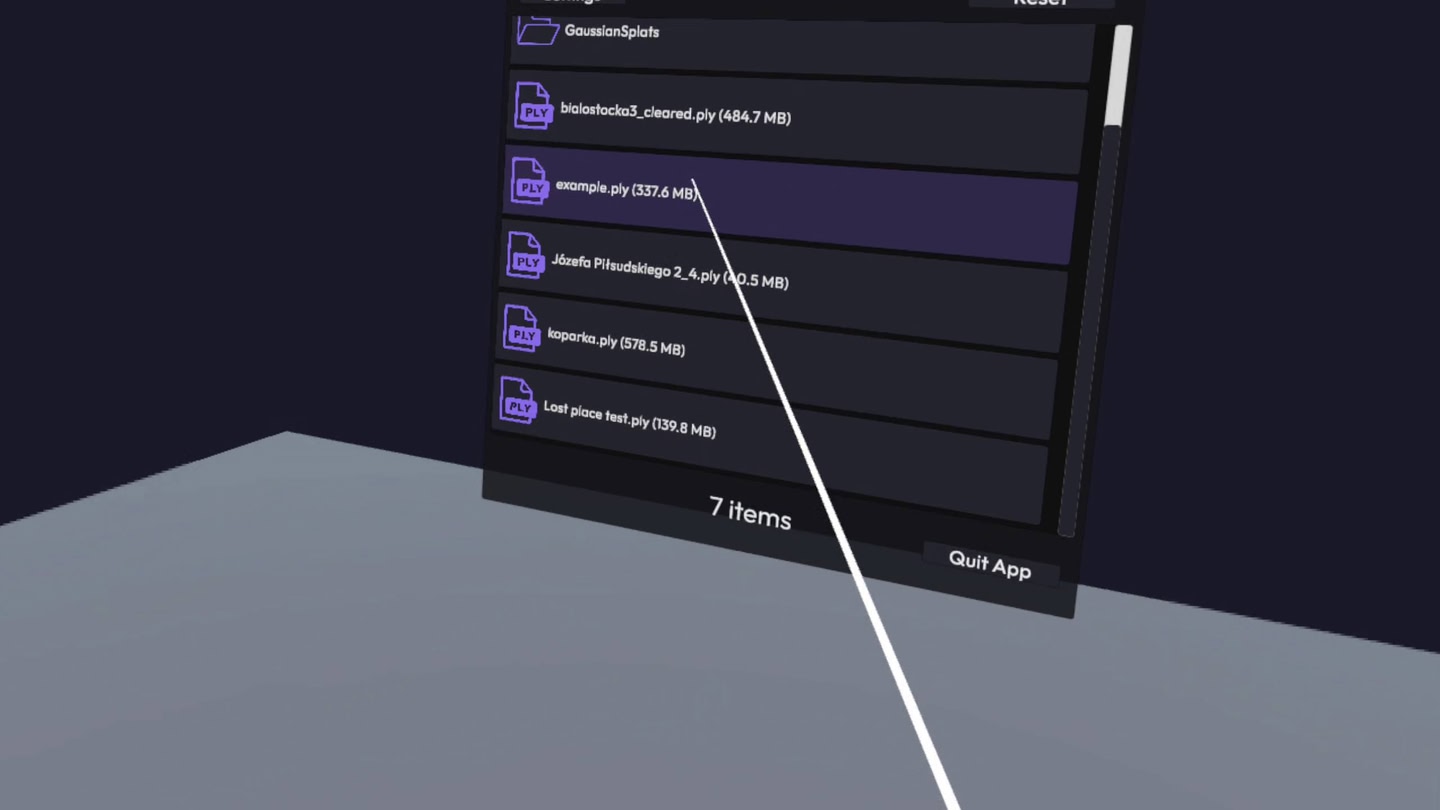
  • File browser - Load your own .ply Gaussian Splat files
  • Adjustable settings - Fine-tune splat scale, color saturation, and spherical harmonics order (SH0-SH3)
  • Advanced rendering - Full support for view-dependent spherical harmonics (SH0-SH3) for enhanced visual quality
  • Example scene included - Start exploring immediately

How to Use

1. Launch the app and complete the quick tutorial

2. Browse files in `/sdcard/Download/GaussianSplats/`

3. Point and click to load any .ply file

4. Use thumbsticks and buttons to navigate and manipulate scenes

5. Adjust SH order for optimal quality vs. performance balance

Perfect for architects, 3D artists, researchers, and anyone curious about the future of 3D capture technology.

Details

Release date
June 26, 2026
Genre
Creativity, Utilities, Productivity
Category
APPS
Modes
Single User
Play area
Sitting, Standing, Room-scale
Comfort
Comfortable for some
Age rating
Everyone
Headsets
Quest 3S, Quest 3
Controllers
Touch Controllers
Hand tracking
Languages
English
Internet
Not required
Ratings
Download size
172 MB
Version
1.24
In-app purchases
No
In-app ads
No

Frequently asked questions

How much does GSVision Viewer cost?

GSVision Viewer is completely free on the Meta Horizon Store: download it to your headset and play, no purchase needed.

Does GSVision Viewer work on Quest 3, Quest 3S or Quest 2?

GSVision Viewer officially supports: Quest 3S, Quest 3. Headset support is set by the developer, as listed on the official store.

Is GSVision Viewer multiplayer or single player?

GSVision Viewer is a single-player experience (single user).

Is GSVision Viewer comfortable for VR beginners?

GSVision Viewer is rated Comfortable by the official store: minimal artificial movement, a great pick for VR newcomers.

What is the age rating for GSVision Viewer?

GSVision Viewer is rated Everyone on the official Meta store. Age ratings matter especially for online multiplayer titles, where voice chat is open.

When did GSVision Viewer come out?

GSVision Viewer was released on June 26, 2026, published by MT5 Foundation.